More work. Less AI waste. Same subscriptions.
An orchestrator for parallel coding agents, each in a sandbox on your machine.
Not a programmer? intentic desk, the same assistant for your documents →
You bring the stone. The agents build.
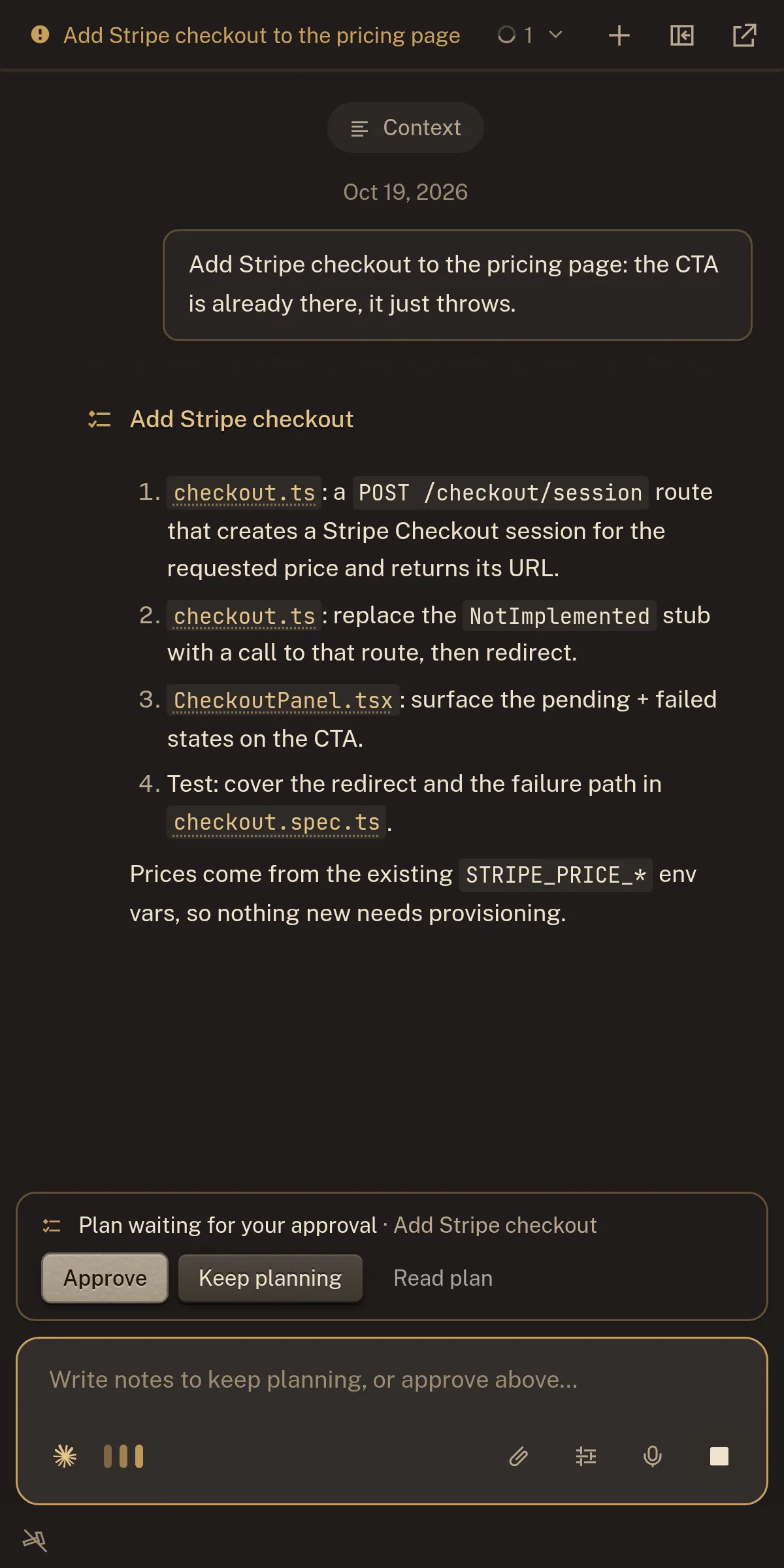
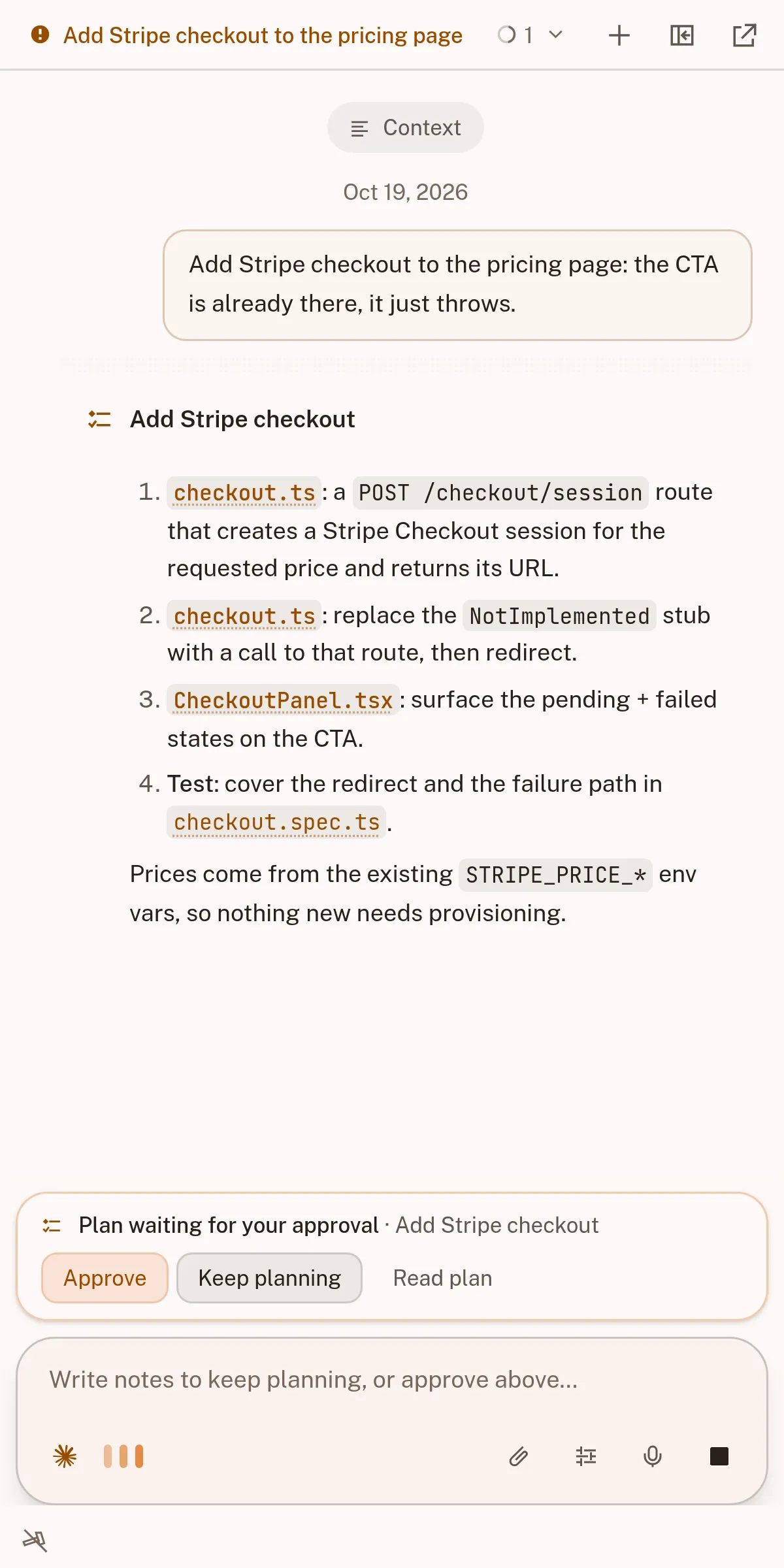
Nothing is set in place without your word.
Your code, your documents, your words.
Agents do the work. intentic keeps the yard in order.
- Save 38% on tokens
- Stay safe
- Agents stay aligned
Your software, standing.
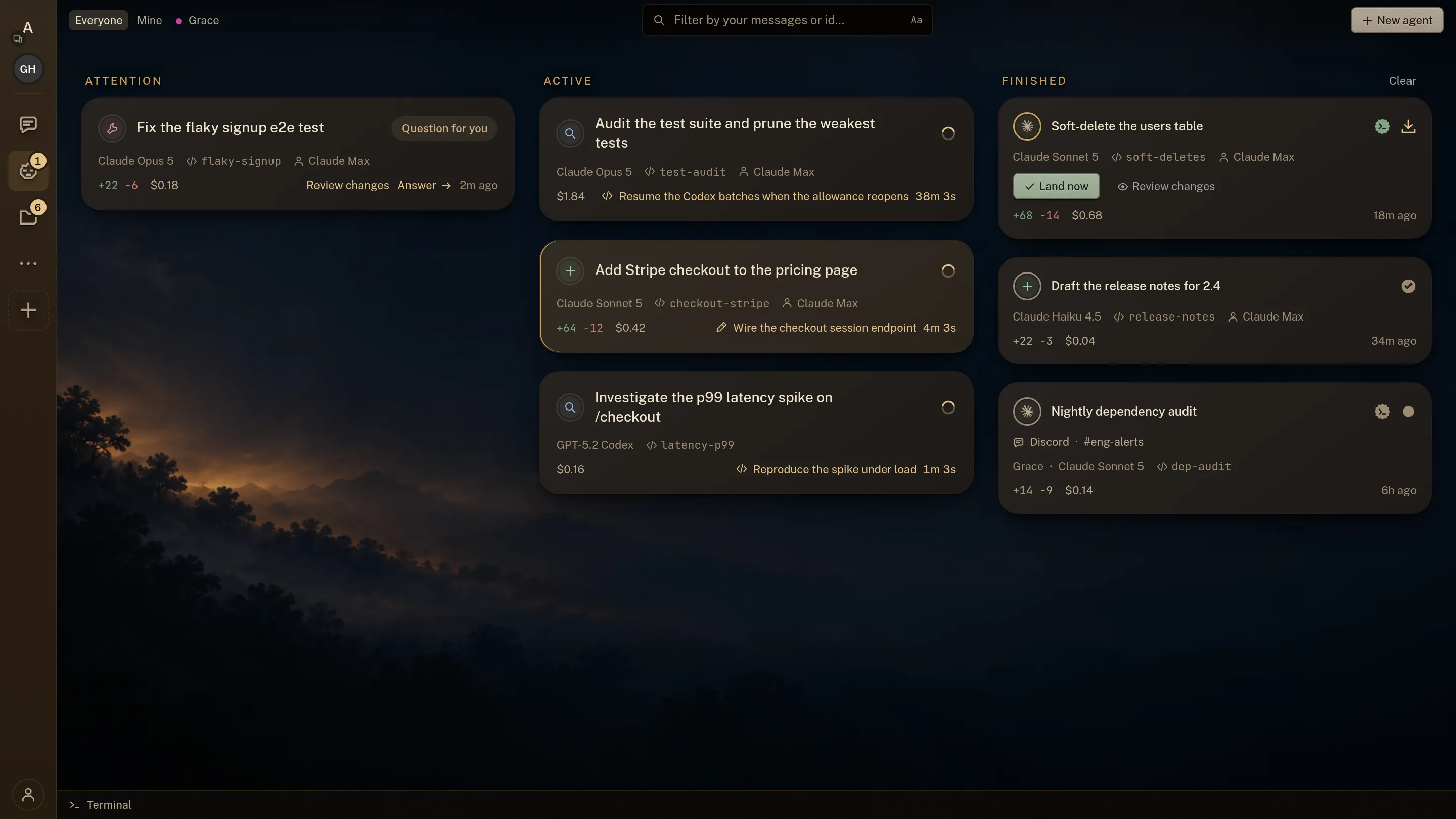
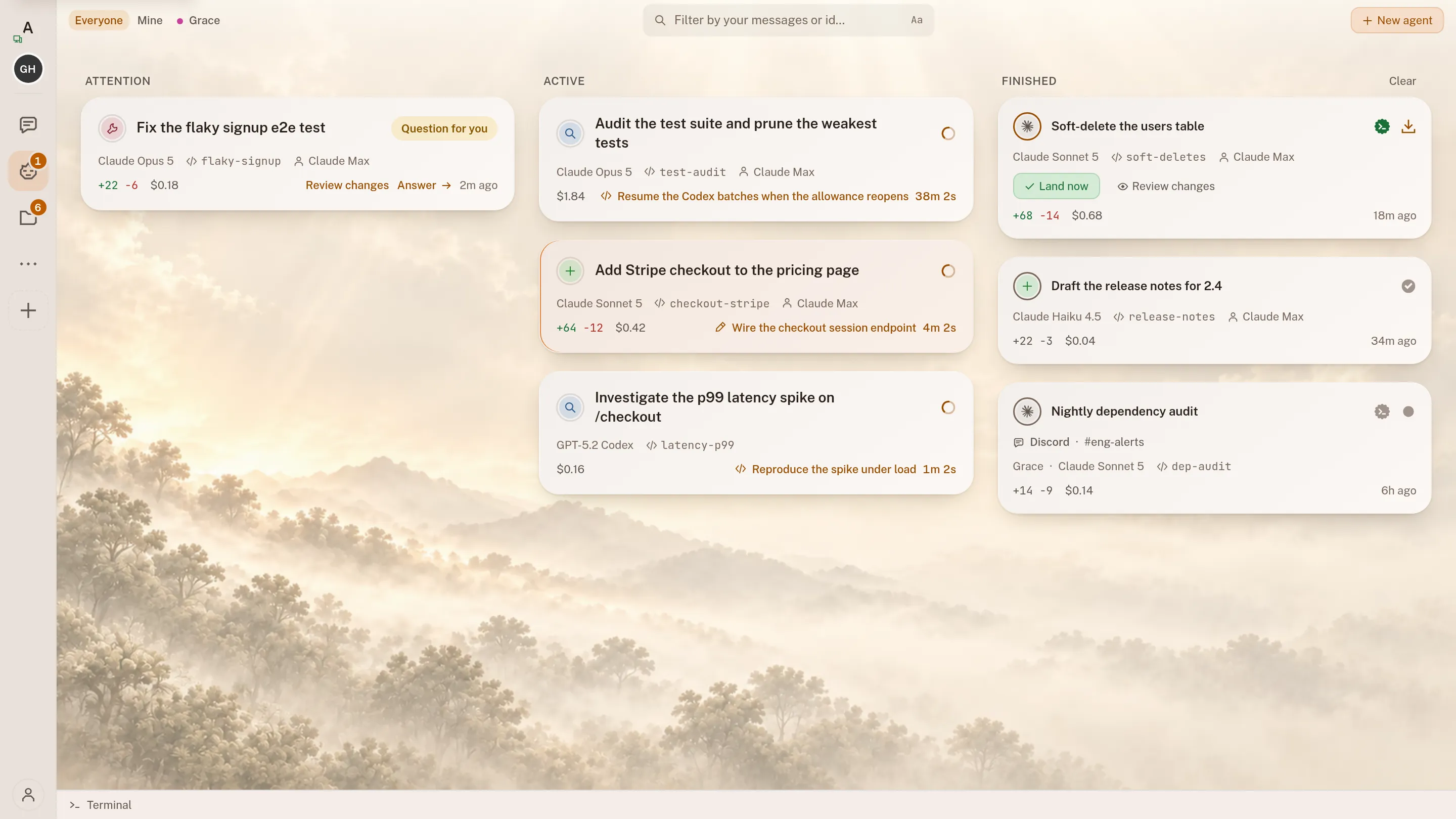
Agent Workspace
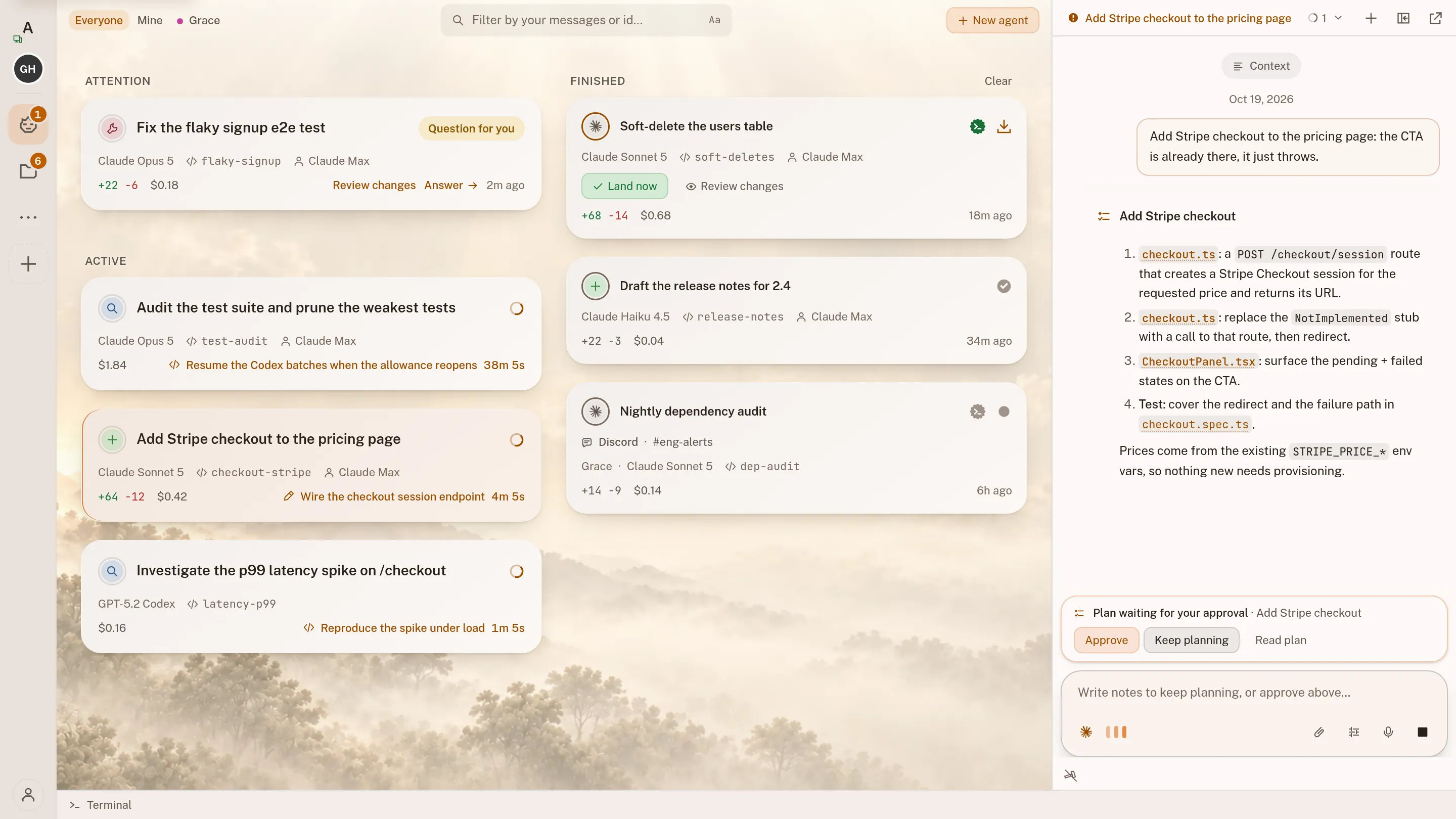
One board shows every agent you have running, and puts the one that needs you first.
See it: Agent Workspace →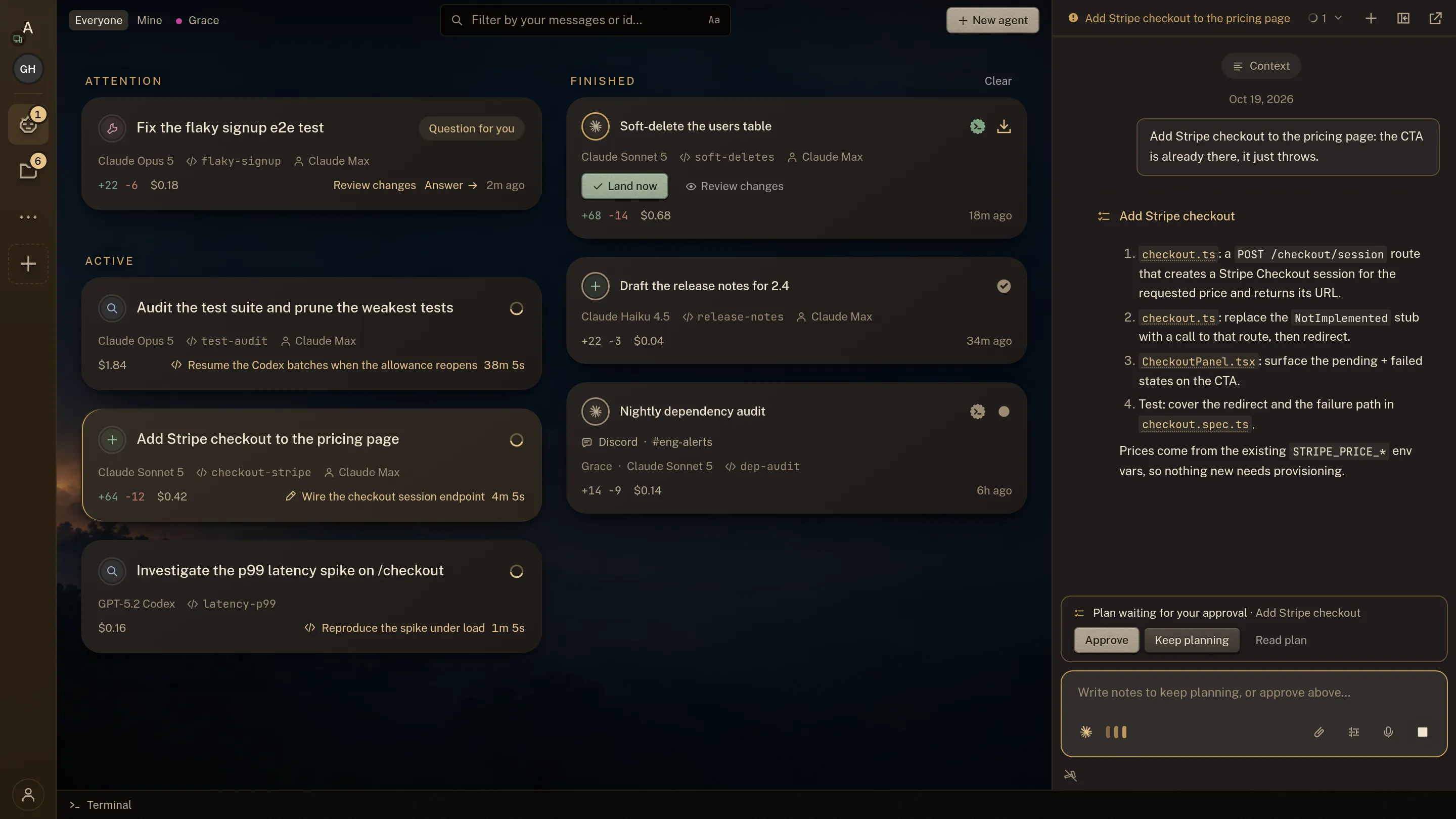
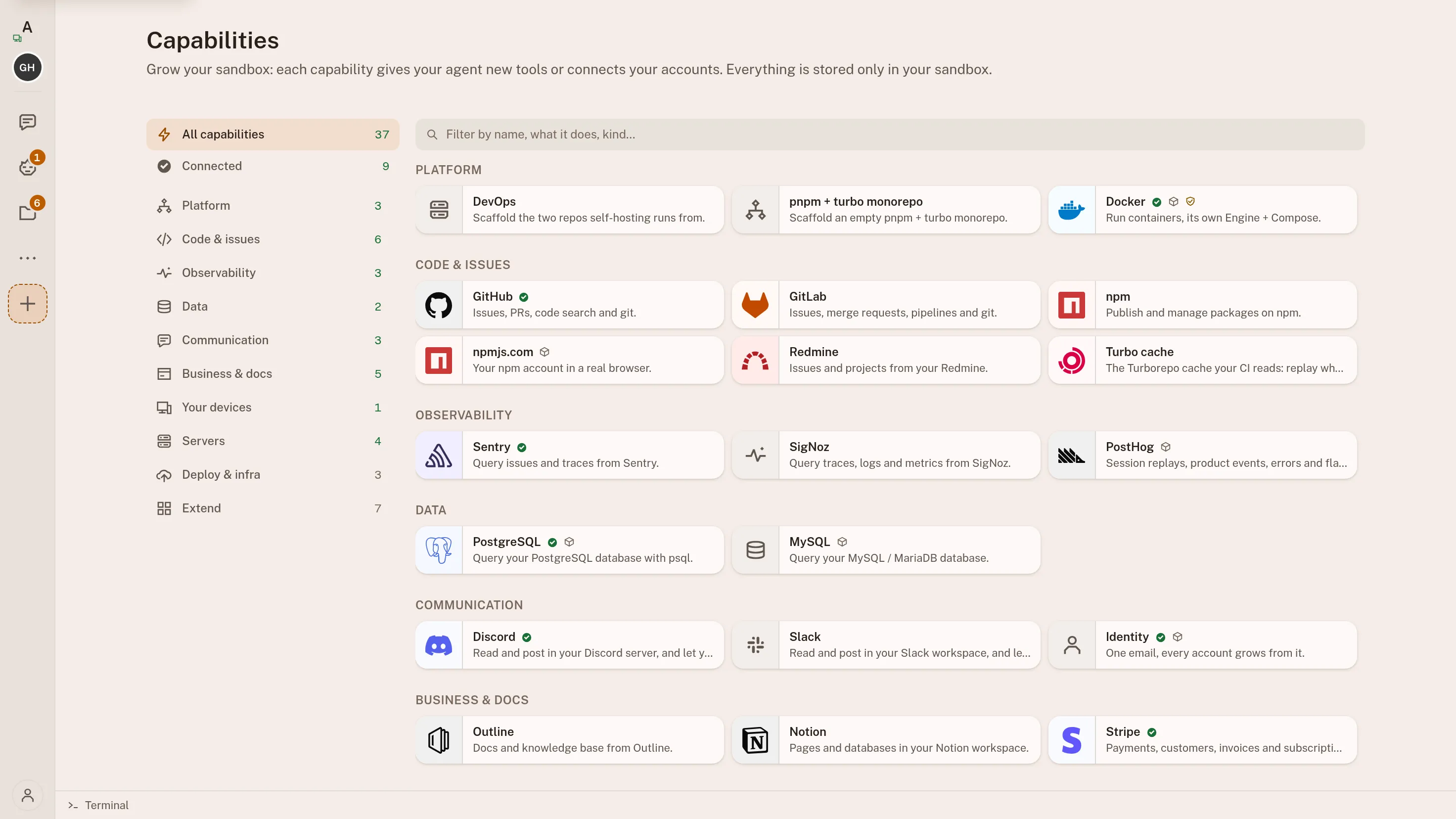
Integrations
Connect an agent to GitHub, Postgres, Stripe, Discord or any MCP server. Your keys stay on your machine.
See it: Integrations →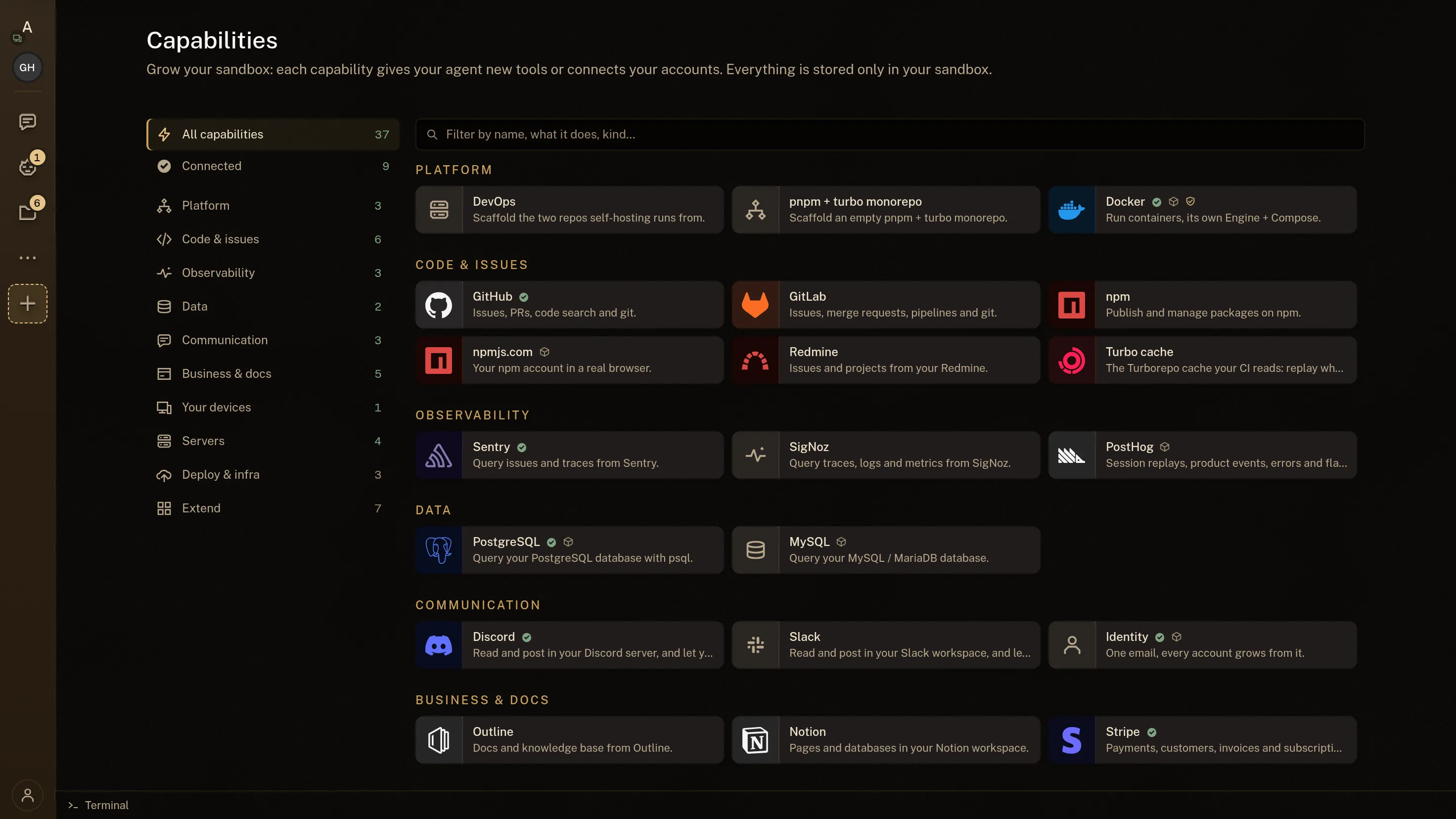
Automations
Start an agent on a failing pipeline, a new issue or a schedule. Every run opens on your board.
See it: Automations →- A pushGitHub · GitLab
- An alertSentry
- A paymentStripe
- An emailany IMAP inbox
- A messageDiscord · Slack
- A schedulecron
Your own command reads the event first
One line, run in your workspace, that decides whether this particular event is worth waking an agent for.
a nightly sweeptest -n "$(git diff)"
A fresh agent session
- Opens on your board, with its own transcript
- Its own branch and checkout
- Nothing lands until you have read the diff
Approvals
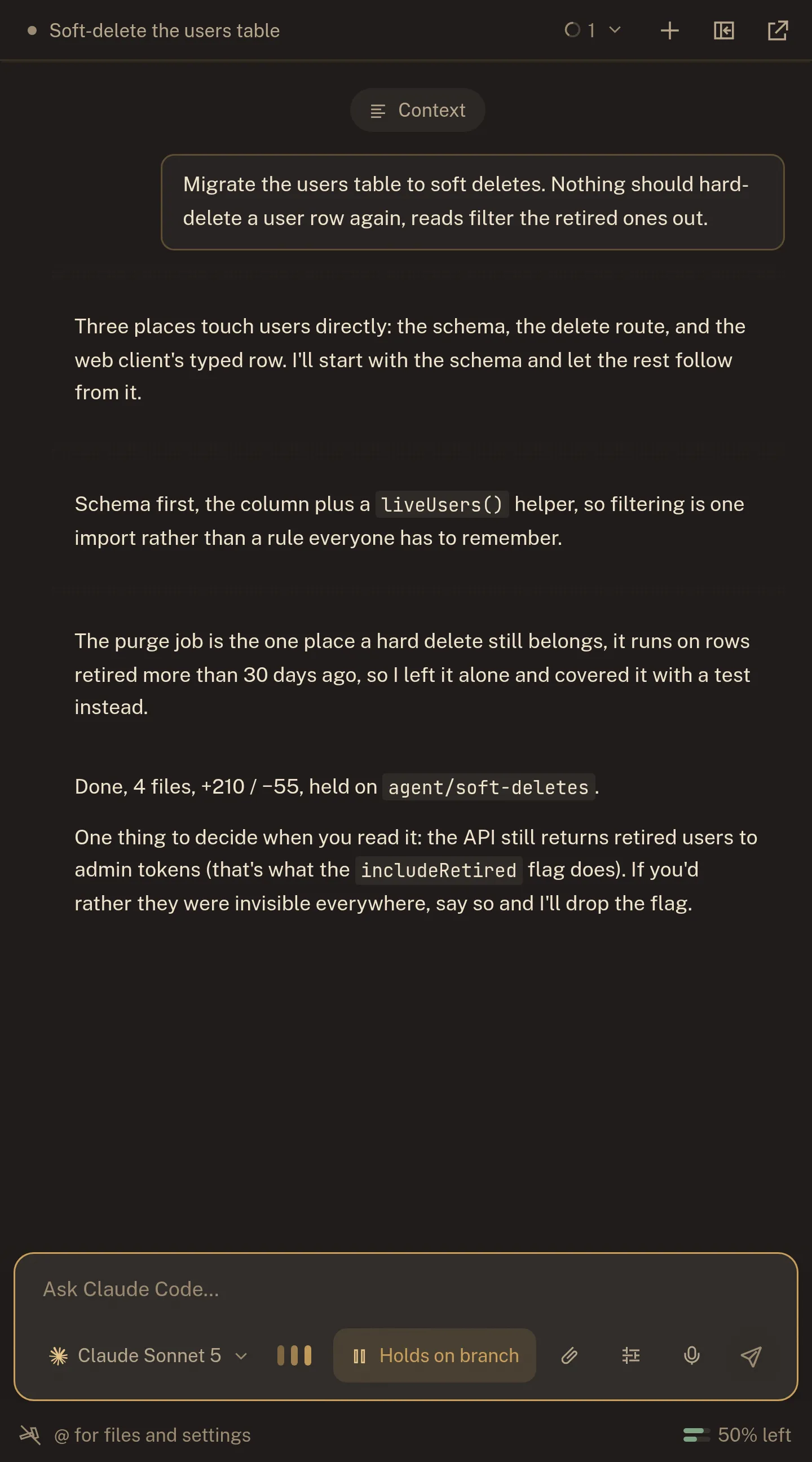
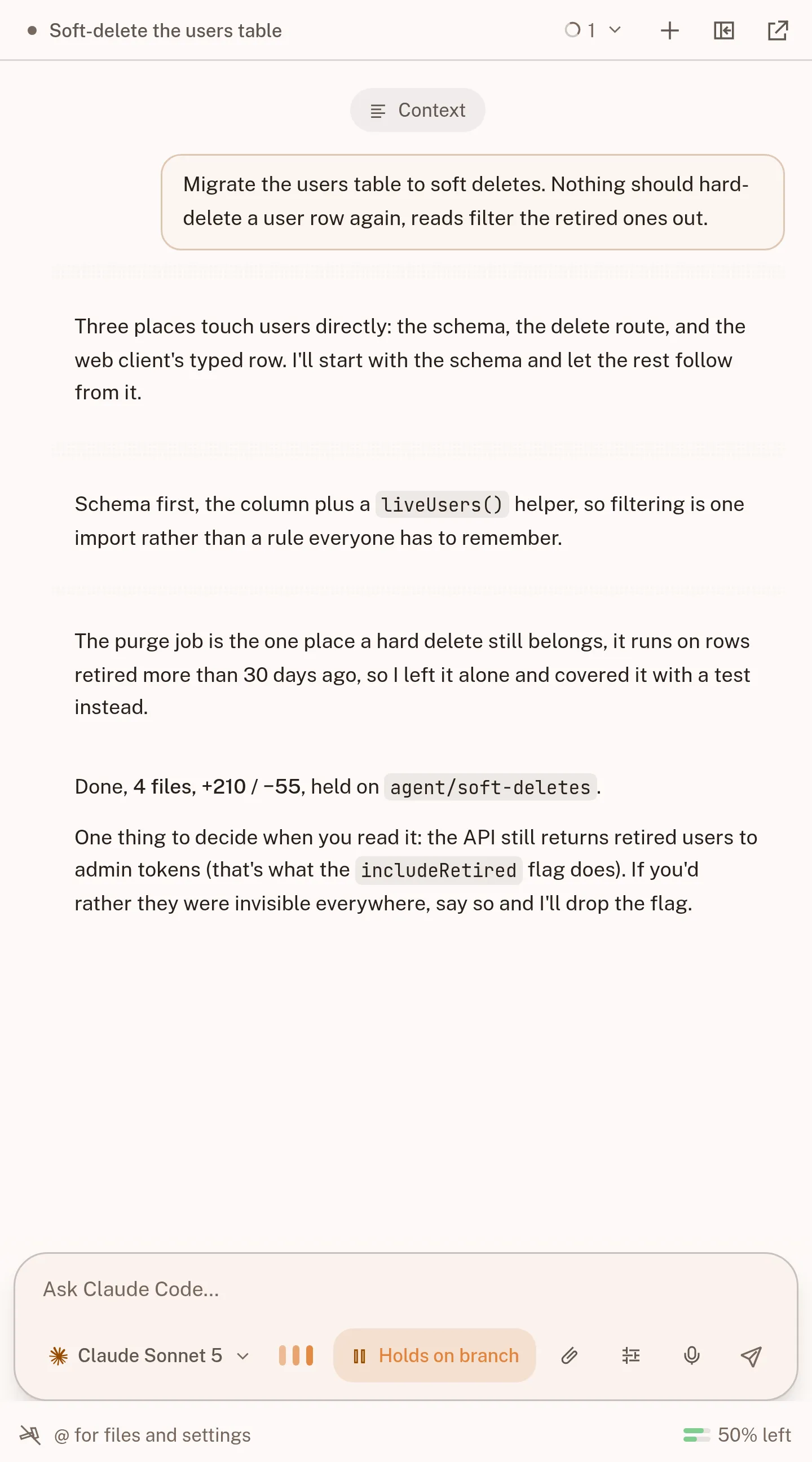
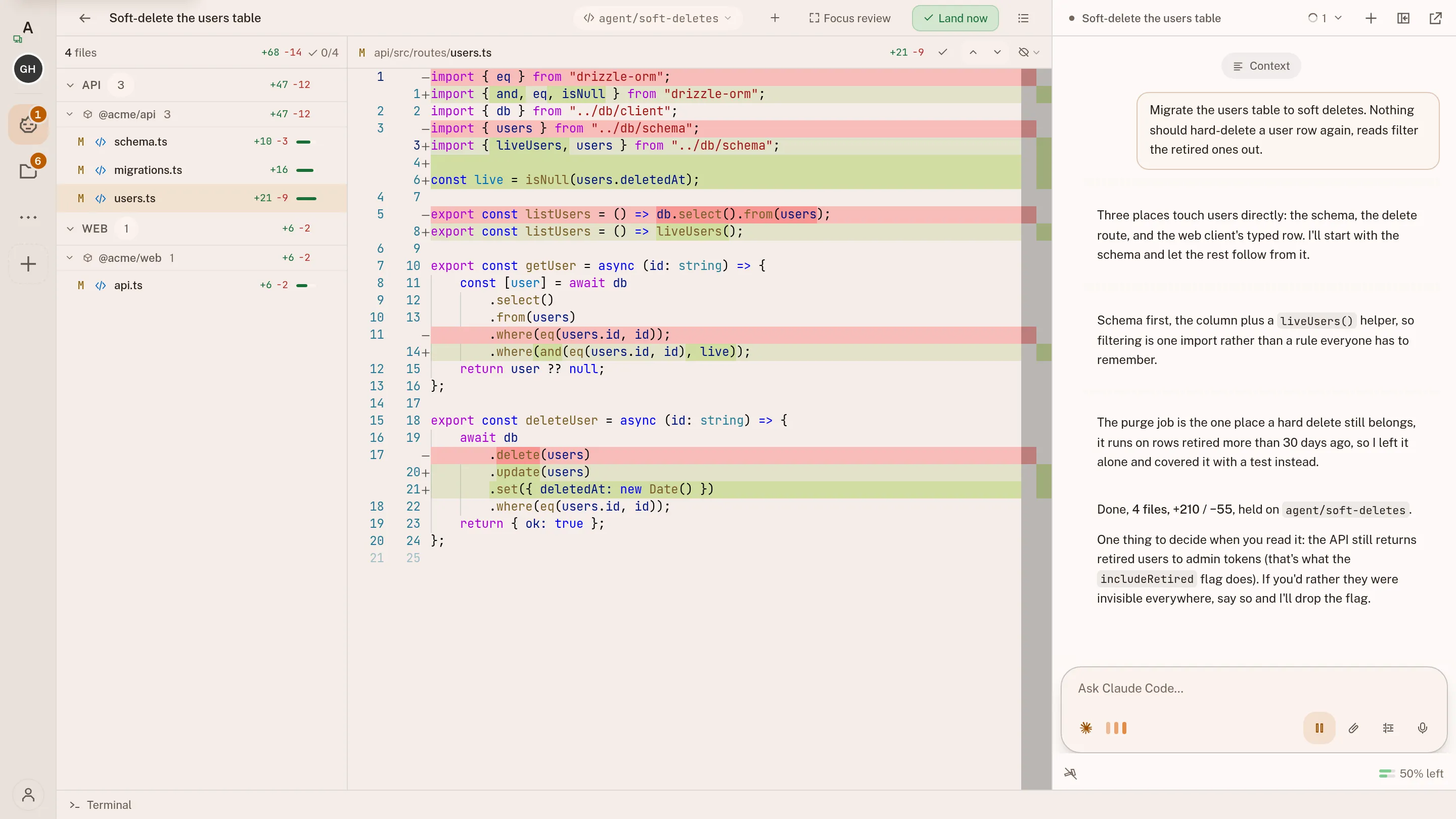
The agent writes a plan and waits for your yes. Finished work sits on its branch until you read the diff.
See it: Approvals →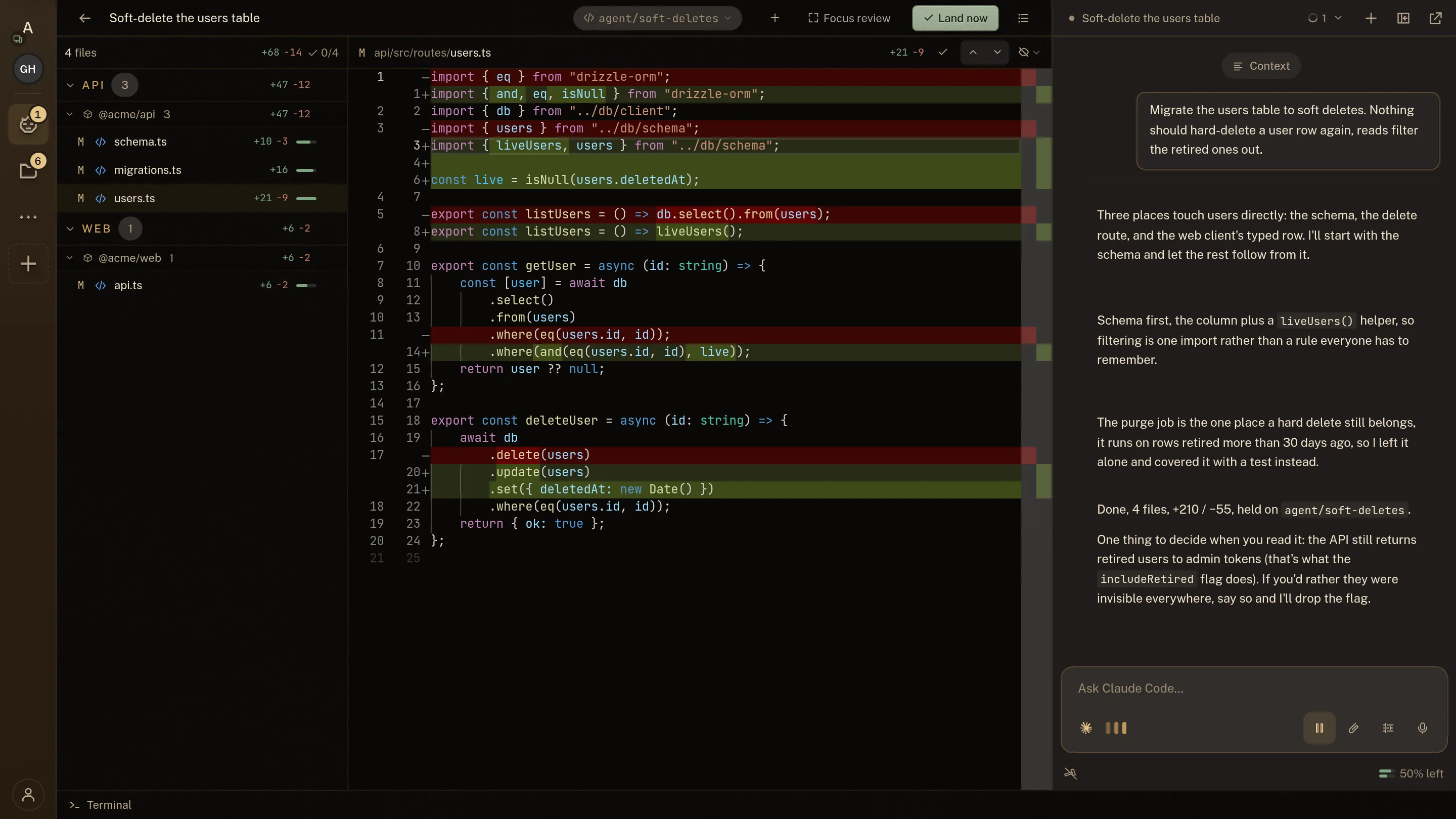
Self-hosting
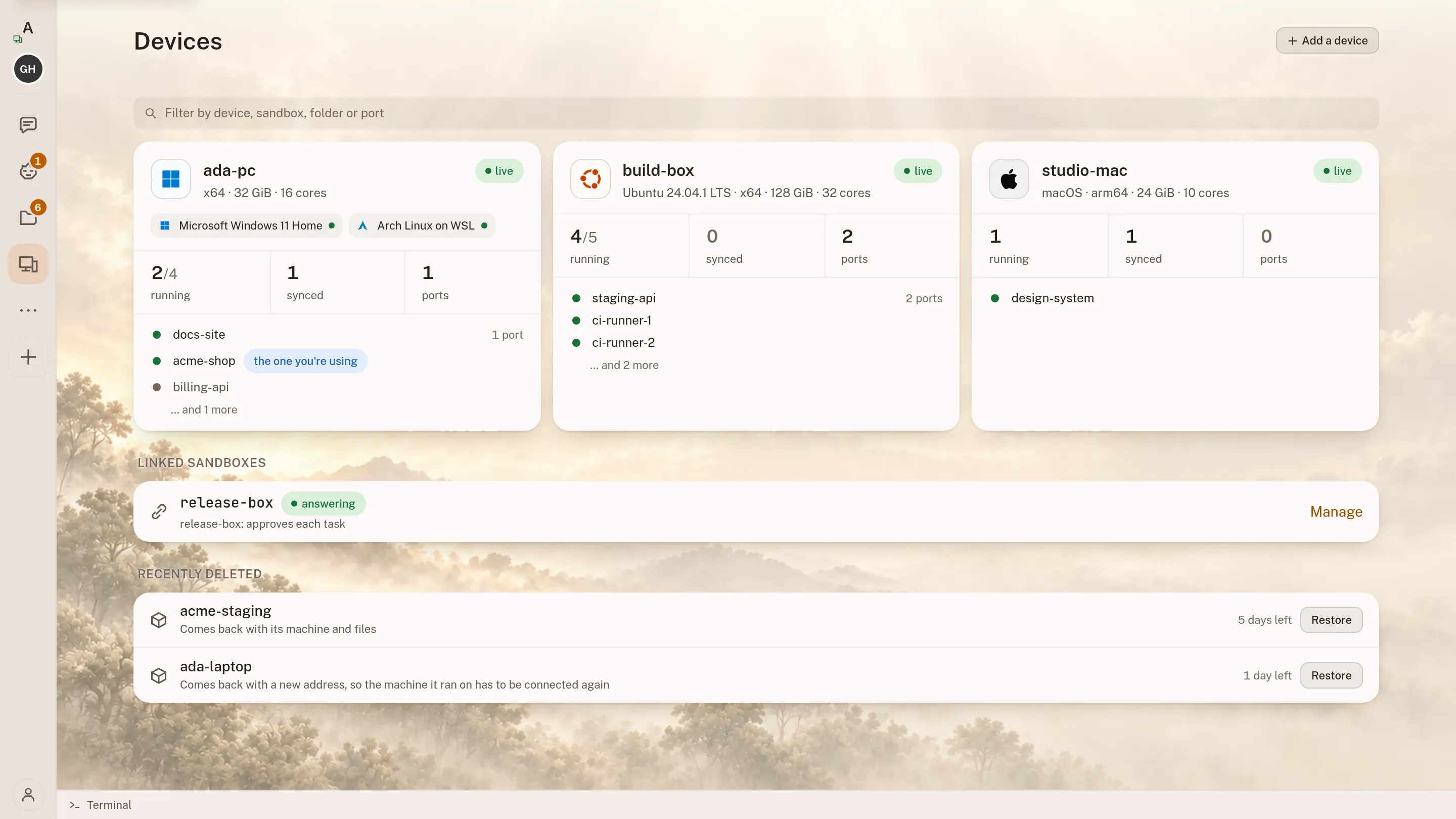
Move the workspace to a server so it runs without your laptop, and invite your team into the same one.
See it: Self-hosting →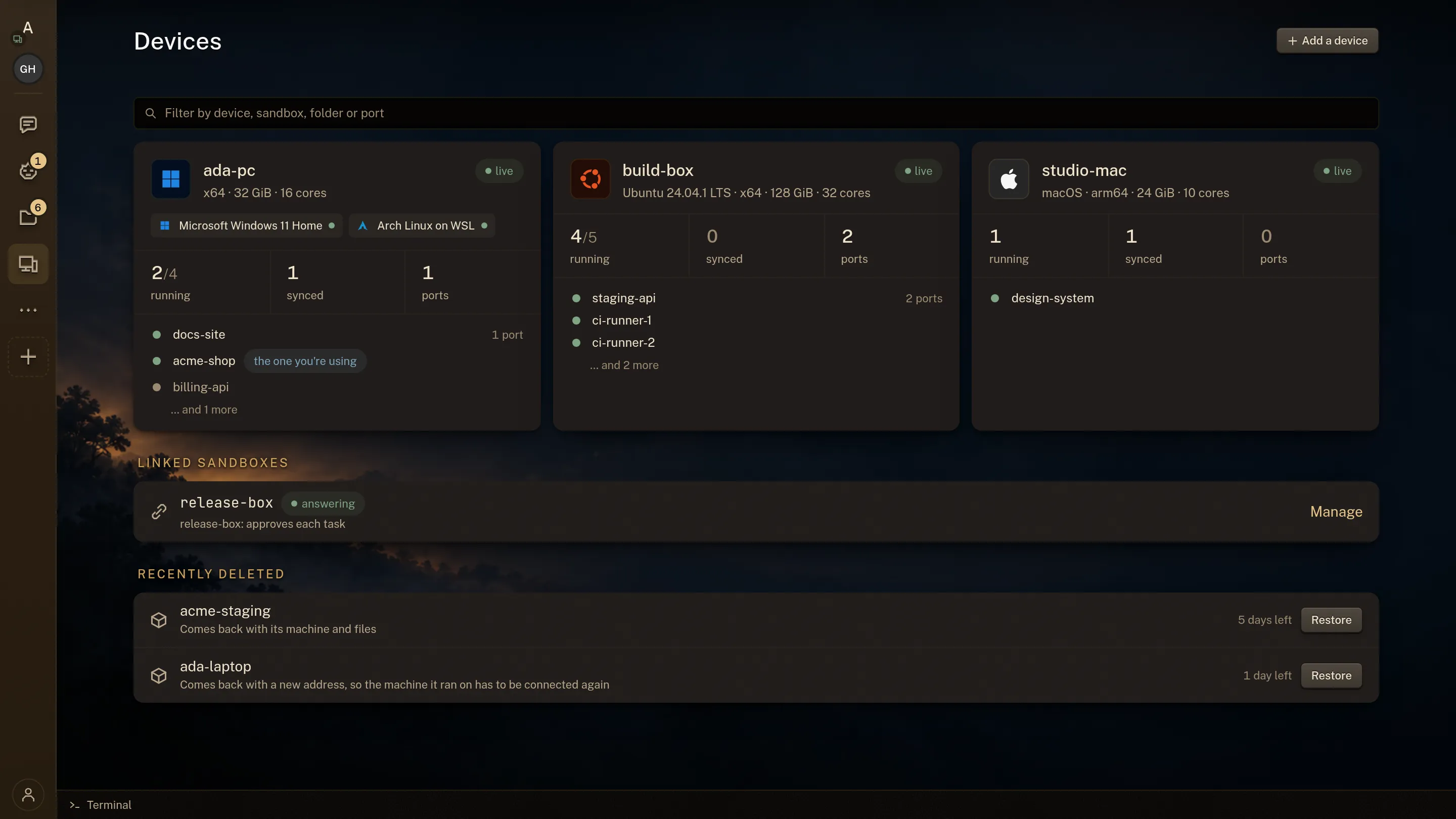
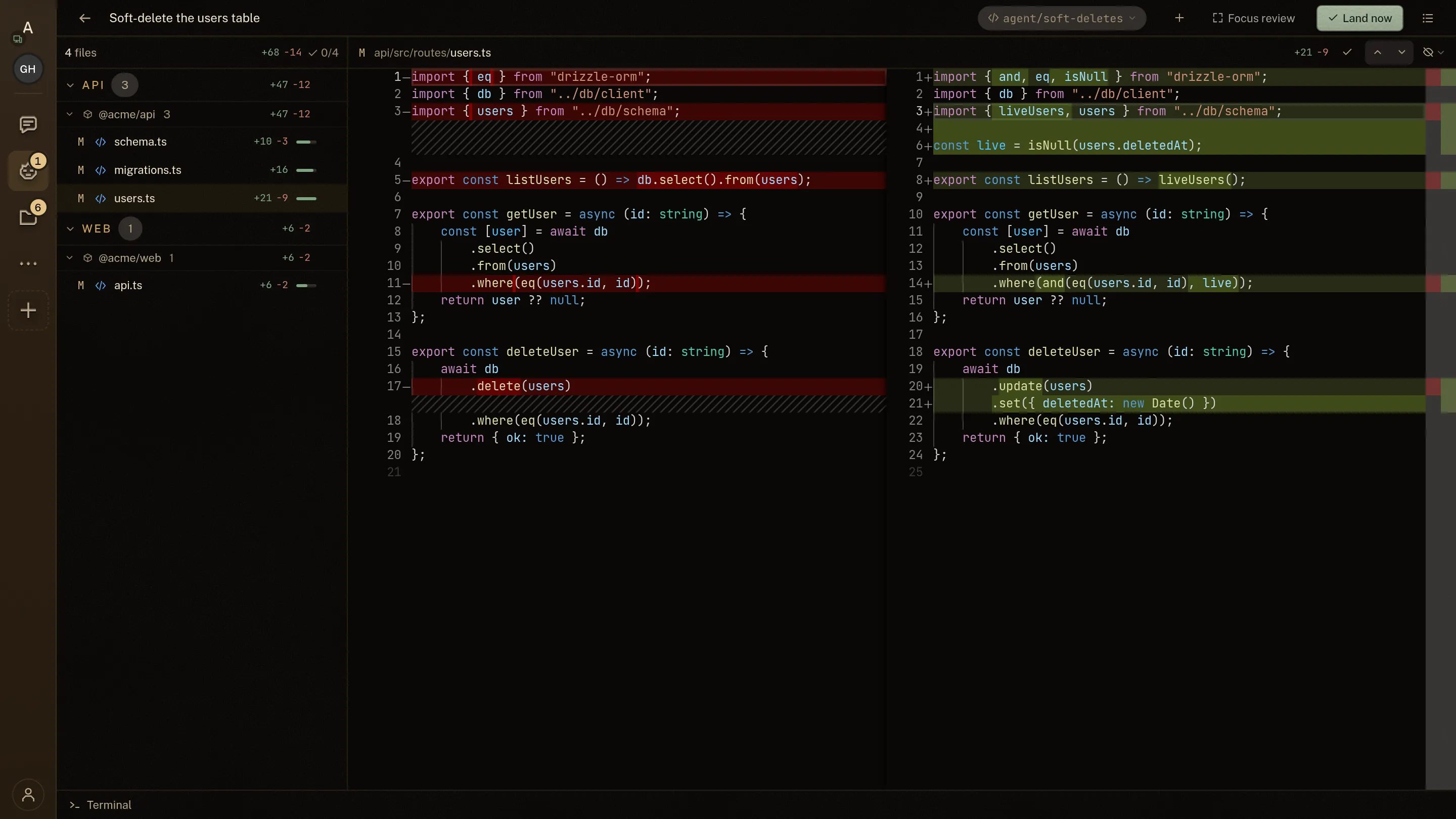
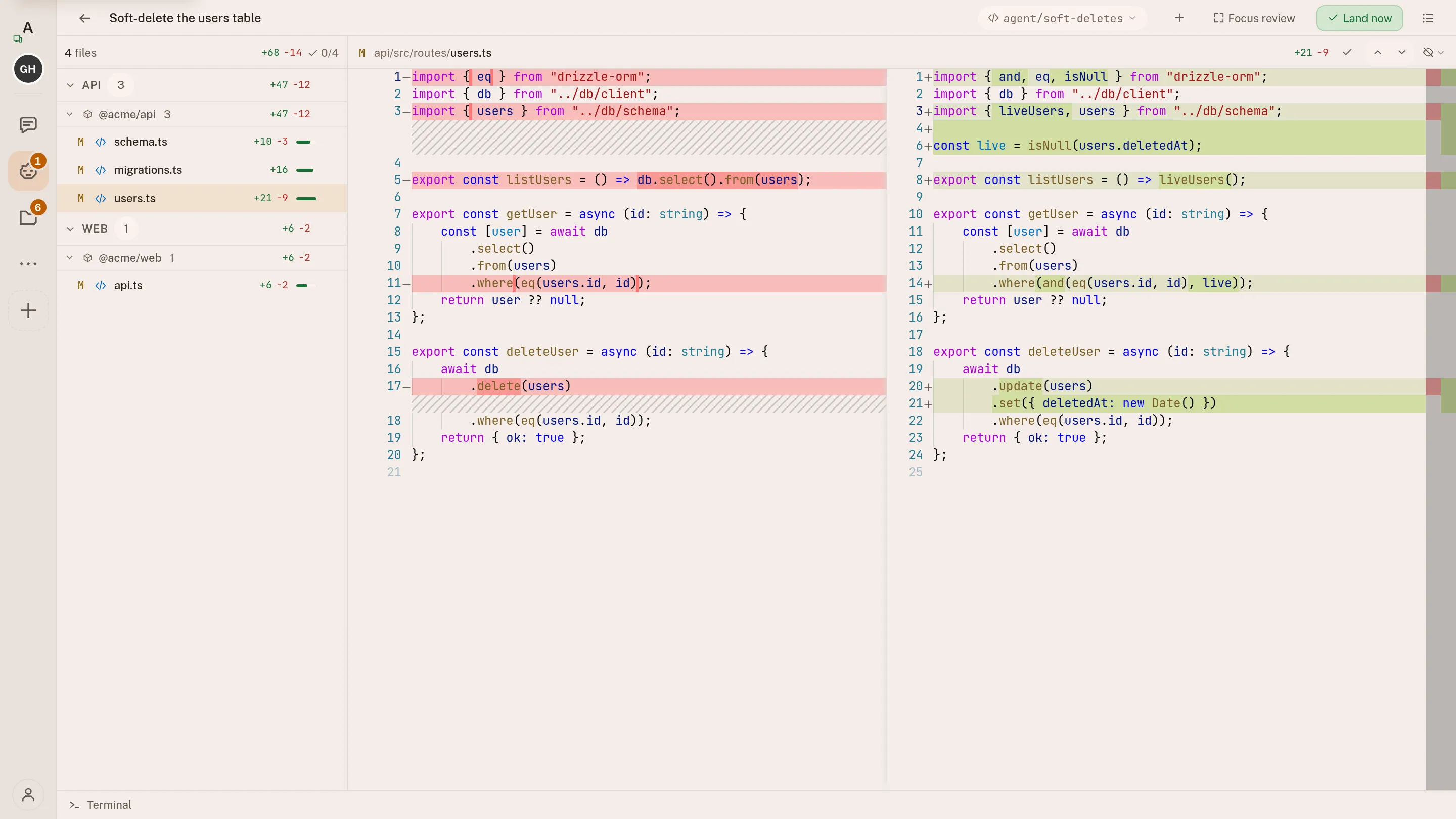
You cannot approve what you cannot read.
Agents write a lot of code, quickly. Checking it is the real work, so the tools for checking it are the product.
Here
What you get to look at.- The diff of every file, before any of it lands
- The editor and the file tree, to look anywhere yourself
- The same terminal the agent is typing into
- The run as it happens, stoppable mid-thought
- What every run cost, agent by agent
In a chat box
What you get instead.- A wall of text
- An assurance that it worked
Nothing to open, and nothing to check.
Every agent works on its own branch, so nothing it writes touches the files you have open.
How reviewing agent work works →intentic is free. Agents use AI plans you already pay for.
You bring the AI plans and your machine does the work. There is nothing to pay us, unless you would rather rent a machine of ours.
- ClaudeOpus, Sonnet and Haiku, on your Claude plansubscription
- Codexon your ChatGPT plansubscription
- Grokon your SuperGrok plansubscription
- Kimi Codeon your Kimi Membershipsubscription
- GoogleGemini, Claude and GPT-OSS, free on a Google sign-insubscription
- CursorComposer and the frontier models, on your Cursor Pro plansubscription
- DevinSWE and the frontier models, on your Devin plansubscription
- Z.aiGLM, on your Coding Plan keysubscription
- MetaMuse Spark, on your Model API keysubscription
- We never meter your tokens or add a markup.
- No cloud compute to rent. Agents run on the machine you start them on.
- Everything is included. No feature tiers, no card.
Artur Kurowski
Full-stack engineer, DevOps, and 15+ years of shipping production systems.
Developer's job has changed. We're now AI operators. It requires different toolset.
More about who builds this →Why trust intentic?
Self-hosted. The platform holds only your identity and sandbox URL, never your code or keys.
What the platform actually holds →Open source first
All of intentic is MIT on GitHub, with no hidden binaries. A sandbox you run sends us nothing. The app and desktop app have optional product analytics: a masked replay that leaves your workspace text out, and a switch under Settings, Data. intentic.dev/privacy lists what is recorded.
Read the source →What analytics records →It builds itself
4,574 of 4,790commits since 2026-07-12
Agents wrote most of intentic in public, and every commit they made sits in the log.
Read the commit log →It is new
There are no customer counts, testimonials or maturity claims yet.
Three steps to your first agent.
Install the app, sign in, and click Run on this computer.
Install the app
For Windows or Linux. Setup installs intentic's own container engine, about 1.9 GB and about 15 minutes. If Docker Desktop is already on the PC, intentic moves your existing sandboxes over and Docker Desktop keeps its copy for 7 days.
Sign in with Google or email
Google, or a code mailed to an address on any domain. No password and no card. We keep your email address and your workspace's address, and nothing else.
Click Run on this computer
The app starts your sandbox: the private room your agents live and work in, on your own machine. It gets its own web address, no Cloudflare account needed.
On any machine, with one command
Sign in at app.intentic.dev, then paste this in a terminal. It starts the same sandbox on your own computer. If Docker is missing, it offers to install that first.
$ curl -fsSL https://intentic.dev/connect | shNothing is deployed anywhere and no ports are opened.
Your own machine is one of two places it can run. Compare them
In your browser, on a machine we host
Nothing to install. Sign in and start a hosted workspace.
Before you install it.
What it costs, where your code sits, and what is not built yet.
What it is
The product, how it differs, and what it runs alongside.
What happens when I close the browser?
Nothing. The agents live on your machine, not in the tab, so terminals stay open and turns finish without you. Reopen from any device and the same fleet is there, sorted by who needs you.
What keeps an agent running when a machine sleeps →How is this different from a custom GPT or a .md instructions file?
A custom GPT or instructions file changes what an assistant is told. It does not install tools or connect to your code. In intentic, an agent works inside a container with the tools, repository access and instructions it needs for the job.
How does this compare to Conductor, Cursor, OpenCode or Nimbalyst?
Claude Code, Codex and OpenCode can run inside intentic. Cursor can work beside it. Local orchestrators such as Conductor and Nimbalyst are the closest comparisons because they also manage several agents. Cloud platforms differ most in where your source code runs.
Every comparison, with the case for the other product →Can I run a separate agent for each job?
Yes, that's the intended shape: a migrations agent, a storefront maintainer, a support agent, each with the access its job needs. Automations wake them on a schedule or an event.
Specialize a sandbox until it does a job alone →Should I start a new sandbox or add a new persona?
Create a sandbox when a job needs different code, tools, connected systems or its own budget. Add a persona when the job stays the same but the agent needs to speak as a different public identity, such as a brand account instead of your personal account.
Specialize a sandbox, then grow a team →Which AI models does it use?
Claude Code (Opus, Sonnet, Haiku), Codex, Grok, Kimi Code or Google, picked per conversation. Your provider, your account, your usage.
Getting started
What you need, what it costs, what it can touch.
What do I need to run a sandbox?
A computer with Docker, and a Google account or any email address to sign in with. You do not need a public IP address or any open inbound ports. If Docker is missing, the installer offers to install it after you confirm.
Do I need a Cloudflare account?
No. intentic provides the private connection by default. You can use your own Cloudflare domain instead; the setup token is used once to find the domain and is not stored.
Is any of it paid?
The product is not. Every sandbox you run yourself, every capability and every shared workspace is free, with no feature tiers and no card, and all of intentic is MIT on GitHub. You pay your own model provider, directly.
The one paid thing is a machine of ours to run it on, a hosted sandbox, which also comes in a free size.
What a hosted sandbox costs →Can the agent break my stuff?
An agent can make mistakes, so it starts by proposing a plan for you to approve. You can review or discard every file change, and changes to installed software need separate approval. You can change the agent's permissions at any time.
How to review what an agent wrote before you accept it →Is it production-ready?
It is a working product, but it is new. Start with low-risk work and review the results. Every agent proposes a plan first, and every file change is shown as a diff before you accept it.
Ownership & privacy
Where your code, secrets and data actually sit.
Where does my code live?
On your machine, unless you choose a hosted sandbox, which runs on a machine we arrange at Fly.io. The platform stores your identity and the sandbox's address, never your files.
When you open the sandbox at its intentic address, your browser's traffic passes through our relay, which decrypts it in memory to route it and stores none of it. Open the sandbox at its local address on the machine it runs on, and that traffic never reaches us.
Where your code goes with any coding agent →Can intentic read my secrets?
We never store them. Your credentials stay inside the sandbox; the platform keeps only the encrypted tokens that connect your browser to it.
Two limits, stated plainly. Whatever you view or type in the workspace, a secret included, passes through our relay in readable form while it is routed, when you open the sandbox at its intentic address. And a hosted sandbox keeps your credentials on a disk at our infrastructure provider.
Giving an agent credentials without leaking them →Is it open source?
Yes, all of it. The sandbox, CLI, workspace and platform are MIT-licensed in one public GitHub repo, so you can read every line that touches your code before you run it.
Can I export or delete my data?
Settings → Export downloads everything the platform stores about you as JSON. Deleting your account also deletes its sandbox records, sessions and access permissions.
Open-source and free forever
Contribute to our code, extend your workspace.